Pause Duration is the duration for each picture to display in the slideshow. To change Pause Duration of a slideshow
| 1. | Click Slideshows from the top menu. |
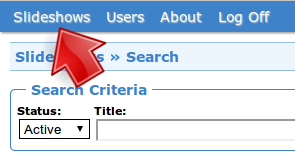
Click Slideshows
| 2. | Click Options of the slideshow. |

Click Options
| 3. | Edit Pause Duration. The unit of pause duration is millisecond(ms). This will apply to all the slides in the slideshow as the default value. ( You can override the default value with the slide option tab of each slide. ) |
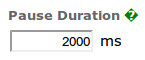
Edit pause duration
| 4. | Click Save. |

Click Save