To delete user accounts
| 1. | Click Users from the top menu. |

Click Users
| 2. | Check the checkboxes of the user accounts you want to delete. |
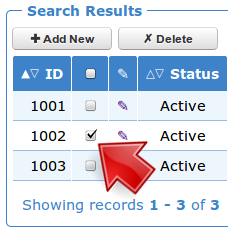
Select Users
| 3. | Click Delete. |

Click Delete
A confirmation dialog box appears.

Confirmation dialog box
| 4. | Click OK. |