To make a slide clickable
| 1. | Open Slides Editor. |
| 2. | Select a slide you want to edit. |

Select a slide
| 3. | Click and select the Slide Options tab if not already selected. |
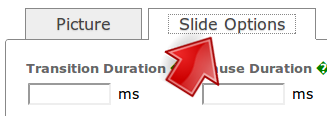
Select Slide Options tab
| 4. | Check Make Picture Clickable. In URL, enter the URL of the webpage you want the slide to link to. If you want the webpage to open in a new tab, check Open in a new tab. The settings will apply to this slide only, overriding the URL set in the slideshow options. |

Check "Make Picture Clickable"
| 5. | Click Save. |

Click Save