This page will explain how to obfuscate a CSS file using CssHidex.
3 steps to obfuscate a CSS file
It is very easy to obfuscate a CSS file using CssHidex. Simply follow the 3 steps shown below. ( We assume that you have already logged in to the CssHidex admin panel. )
1 |
Drag and drop the CSS file to INPUT. |
2 |
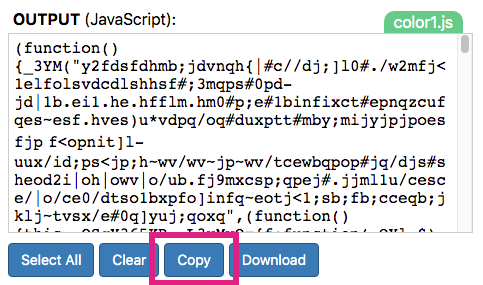
Click Obfuscate. CssHidex will generate JavaScript into OUTPUT. |
3 |
Click Download to download the obfuscated JavaScript code as a file. |

Obfuscate a CSS file in three steps
Now you can use the JavaScript file in your webpage instead of the CSS file. If you need help for installing a JavaScript file in your webpage, see Install JavaScript.
An alternative way to input CSS
To input a CSS file, you can click Open File... to select the CSS file to load the content of it to INPUT.

Open File...
An alternative way to output JavaScript
To output the JavaScript code, you can click Copy to copy the content of OUTPUT into your clipboard.
Copy